
Expenses
Know where your business money is going.
Transport, packaging, ads, materials: small costs add up fast. Record each expense in a few taps, with its category, then see your top category, your monthly total and the trend, so no cost eats your profit unseen.
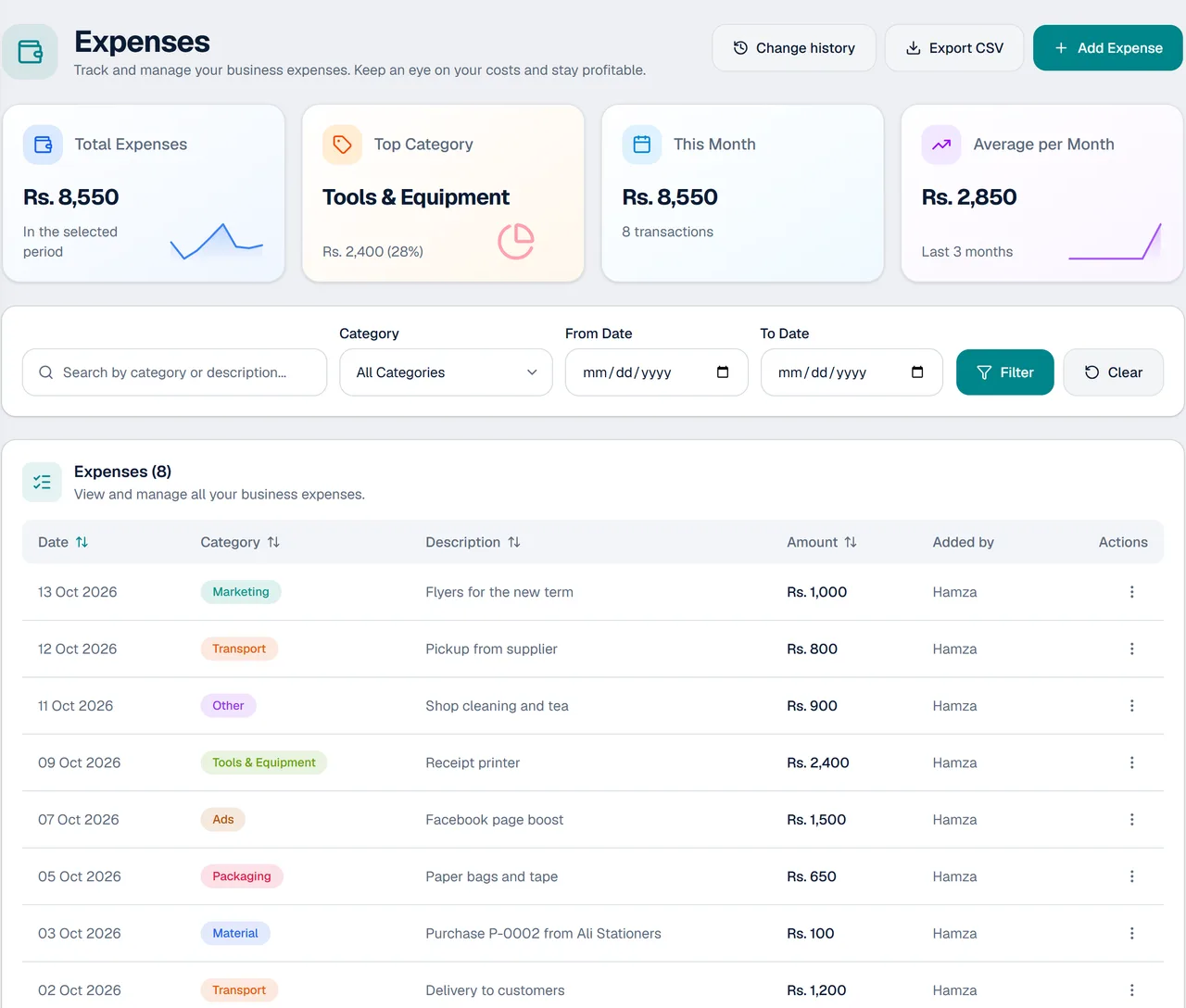
Every cost recorded, nothing unseen
Add an expense in seconds and watch the picture build itself.
Quick to add
Pick the date, enter the amount, choose a category and add a short note.
Top category and monthly totals
See your total, your biggest category, this month's spending and a monthly average at a glance.
Spending by category and over time
A trend chart and a breakdown by category show where the money goes.
Know who changed what
A change history records every expense added, changed or removed, and by whom.
Staff can record their own
Staff can record their own expenses without seeing the owner's figures.
Export to a spreadsheet
Export your expenses as a CSV file and open it in a spreadsheet.
How expense tracking works
- 1
Add the expense
Enter the date, the amount and the category, with a short note if you like.
- 2
Watch the totals
Your monthly total, top category and charts update by themselves.
- 3
Review and export
Search or filter by date and category, check the change history, and export when you need to.
For any business with costs to watch
Every shop and workshop has them.
- Shops that buy stock and pay for delivery
- Printing presses and signboard makers
- Stationery and general stores
- Mobile accessories shops
- Legal drafting and other services
- Businesses whose staff spend on the owner's behalf
Questions about expenses
What can I record as an expense?
Anything the business spends, such as transport, packaging, ads, materials, tools and equipment. Each one goes under a category.
Can my staff record expenses?
Yes. Staff can record their own expenses without seeing the owner's figures.
Can I see who added or changed an expense?
Yes. Each expense shows who added it, and a change history records every expense added, changed or removed.
Can I see my spending by category?
Yes. KarobarDesk shows your top category and a breakdown of spending by category.
Can I export my expenses?
Yes. You can export your expenses to a CSV file for a spreadsheet.
Do expenses count in my profit?
Yes. Expenses are shown beside your sales and costs on the dashboard, so you can see your net profit.
More from KarobarDesk
Ready to see where your money goes?
Book a demo and we will show you how expenses work for your business.