
Stock and suppliers
Always know what is on the shelf, and what to reorder.
KarobarDesk lowers your stock with every sale, warns you before an item runs out, and keeps your purchases and what you owe suppliers in one place. No more counting by eye or searching a notebook.
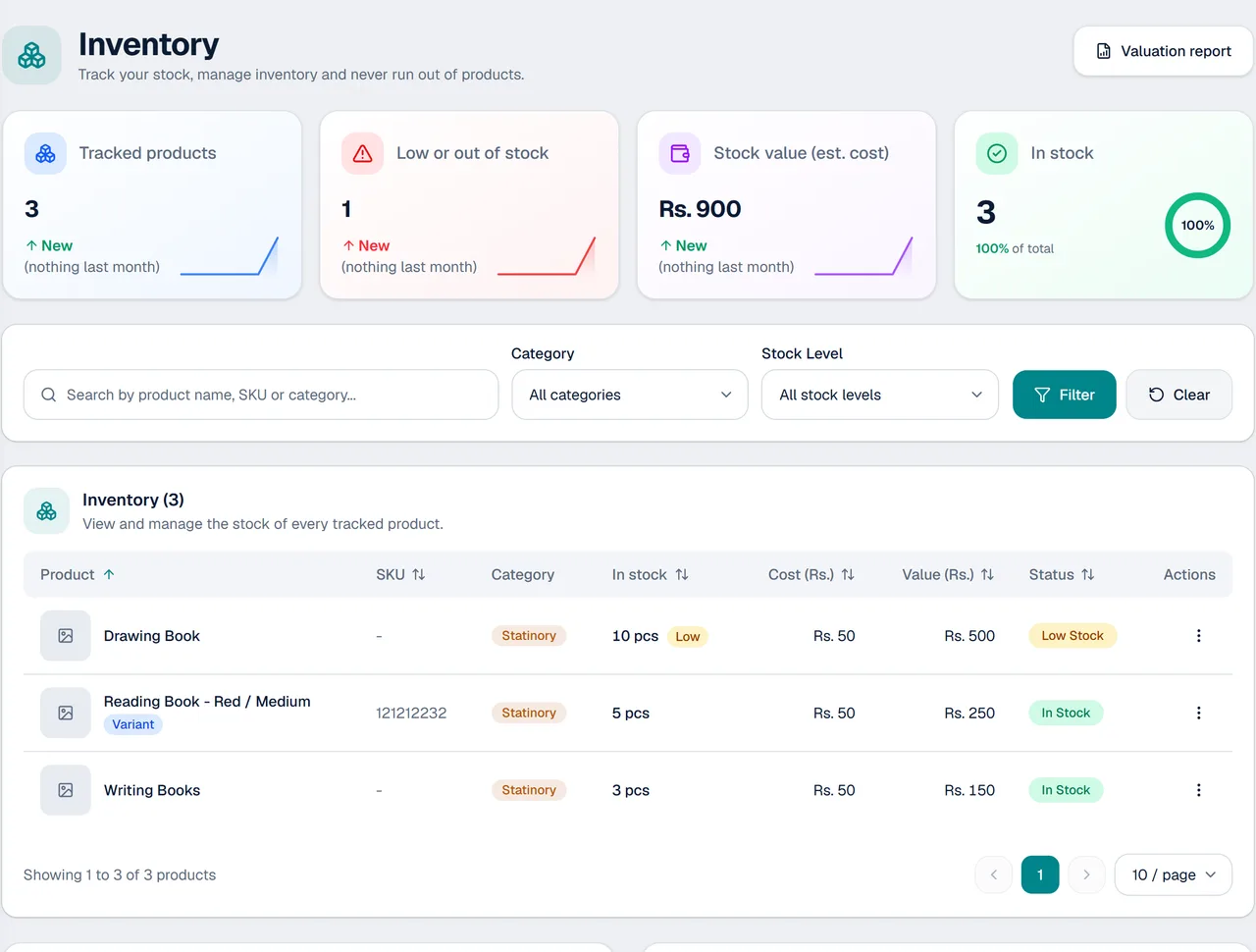
Stock that keeps itself up to date
Every sale, purchase and change updates the figures for you.
Stock goes down with every sale
Sell an item and the quantity on hand drops by itself.
Edit or cancel an order
When an order changes or is cancelled, the stock follows, so your numbers stay right.
Low-stock alerts
See what is running low, so you reorder before a customer is turned away.
Sizes, colours and photos
Keep sizes, colours and a photo for each product, so you pick the right one every time.
Suppliers and purchases
Record what you bought, from whom, and what you still owe each supplier.
Stock valuation report
See what the stock on your shelves is worth.
How stock management works
- 1
Add your products
Enter your items with prices, sizes, colours, photos and the quantity you have.
- 2
Sell and buy as usual
Sales lower the stock. Purchases from suppliers raise it.
- 3
Check and reorder
Open the low-stock list and the valuation report, and reorder what is running out.
Made for shops that sell from stock
Wherever counting and tracking items matters.
- Stationery shops
- Mobile accessories shops
- General stores
- Any counter that sells products
- Shops with several sizes or colours of one item
- Shops that buy from suppliers and track what they owe
Questions about stock
Does stock go down automatically when I sell?
Yes. Stock goes down with every sale, so you do not have to change anything by hand.
What happens to stock if I edit or cancel an order?
The stock follows the change, so your numbers stay correct.
Will it tell me when something is running low?
Yes. KarobarDesk shows low-stock alerts so you can reorder before an item runs out.
Can I keep sizes and colours of the same product?
Yes. Each product can have sizes, colours and photos.
Can I see how much my stock is worth?
Yes. There is a stock valuation report.
Can I track what I owe my suppliers?
Yes. Record purchases from suppliers and see what is still owed.
More from KarobarDesk
Ready to see your stock clearly?
Book a demo and we will add your products with you.