
Quick Sell
A fast counter screen for busy shops.
When customers are waiting you need a screen that stays out of the way. Quick Sell is built for the counter: add items, record the payment, hand over the receipt and move on to the next customer. Stock goes down by itself.
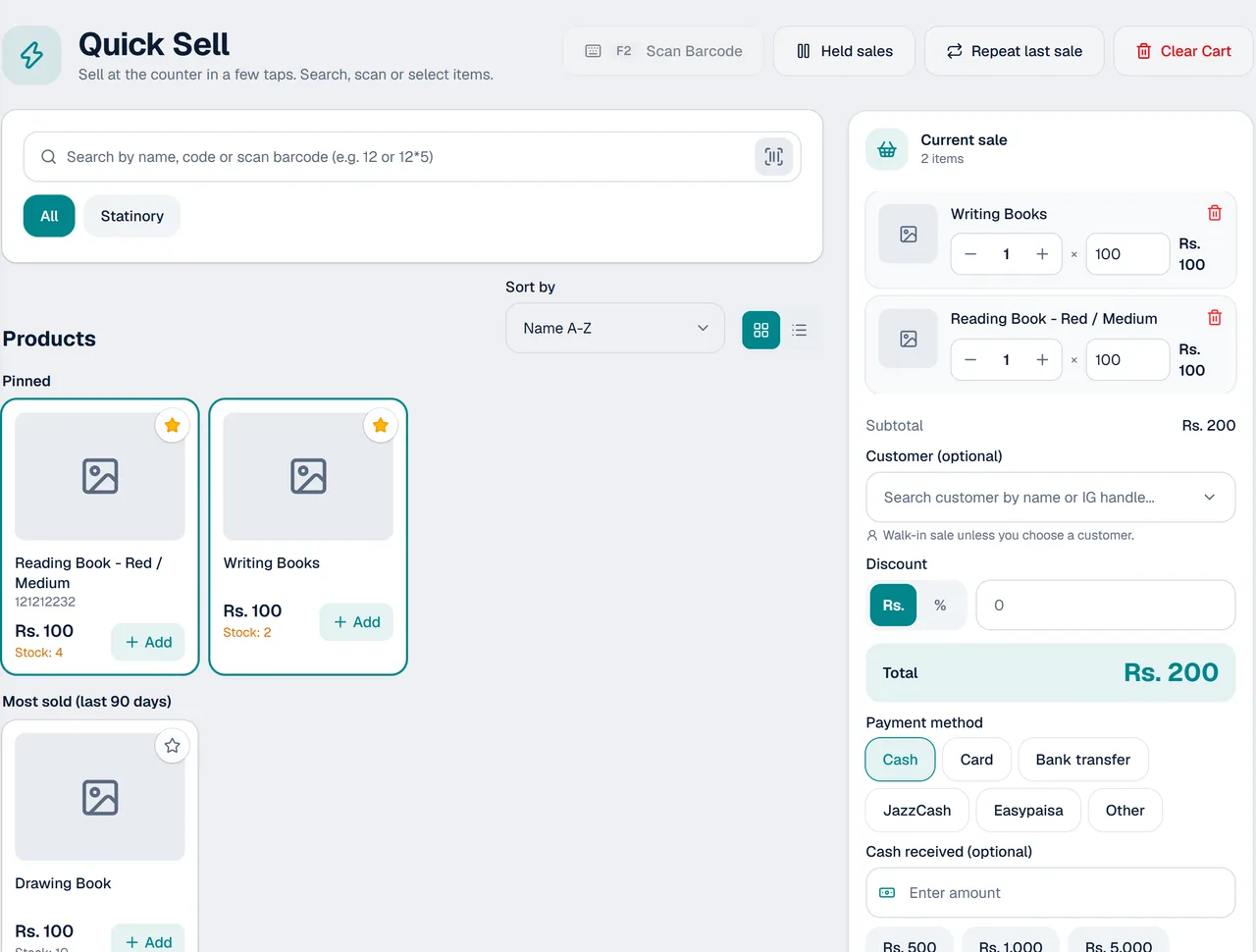
Built for the counter
Fewer steps between a customer asking and a sale recorded.
Made for speed
A simple screen for the counter, so a sale takes only a few steps.
Hold a sale
Customer gone to fetch the money? Hold the sale, serve the next person and come back to it.
Stock follows every sale
Each item you sell comes off your stock automatically.
Receipt on the spot
Print the receipt neatly on A6 paper, or send it as a PDF on WhatsApp.
Counted in your reports
Every sale counts in your daily sales, best sellers and profit reports.
Staff can use it too
Let your staff serve customers without seeing your costs or profit.
A sale in three steps
- 1
Add the items
Pick the products the customer wants.
- 2
Record the payment
Enter what the customer pays.
- 3
Hand over the receipt
Print it or send it on WhatsApp, and serve the next customer.
Good for shops with a busy counter
Where every minute there is a customer waiting.
- Stationery shops
- Mobile accessories shops
- General stores
- Any counter that sells products
- Shops where more than one person serves customers
Questions about Quick Sell
What is Quick Sell?
Quick Sell is a fast counter screen in KarobarDesk, for shops that sell products over the counter.
Does it work on a phone?
Yes. KarobarDesk opens in the browser on your phone or computer, so you can use either.
Can I pause a sale?
Yes. You can hold a sale and come back to it later.
Does stock update when I use Quick Sell?
Yes. Stock goes down with every sale.
Do I need to install anything?
No. It opens in the browser. Sign in and you are ready.
Can I give the customer a receipt?
Yes. Print it on A6 paper, or send it as a PDF on WhatsApp.
More from KarobarDesk
Ready to speed up your counter?
Book a demo and we will show you Quick Sell with your own products.