
For stationery shops
Run your stationery shop from one simple screen.
Pens, copies, files, art supplies: hundreds of small items, and customers who will not wait. KarobarDesk gives you a fast counter screen, stock that updates with every sale, and a clear view of what is running low and what you owe suppliers.
Made for a shop with many small items
Everything a stationery counter does every day, without a notebook.
Fast counter billing
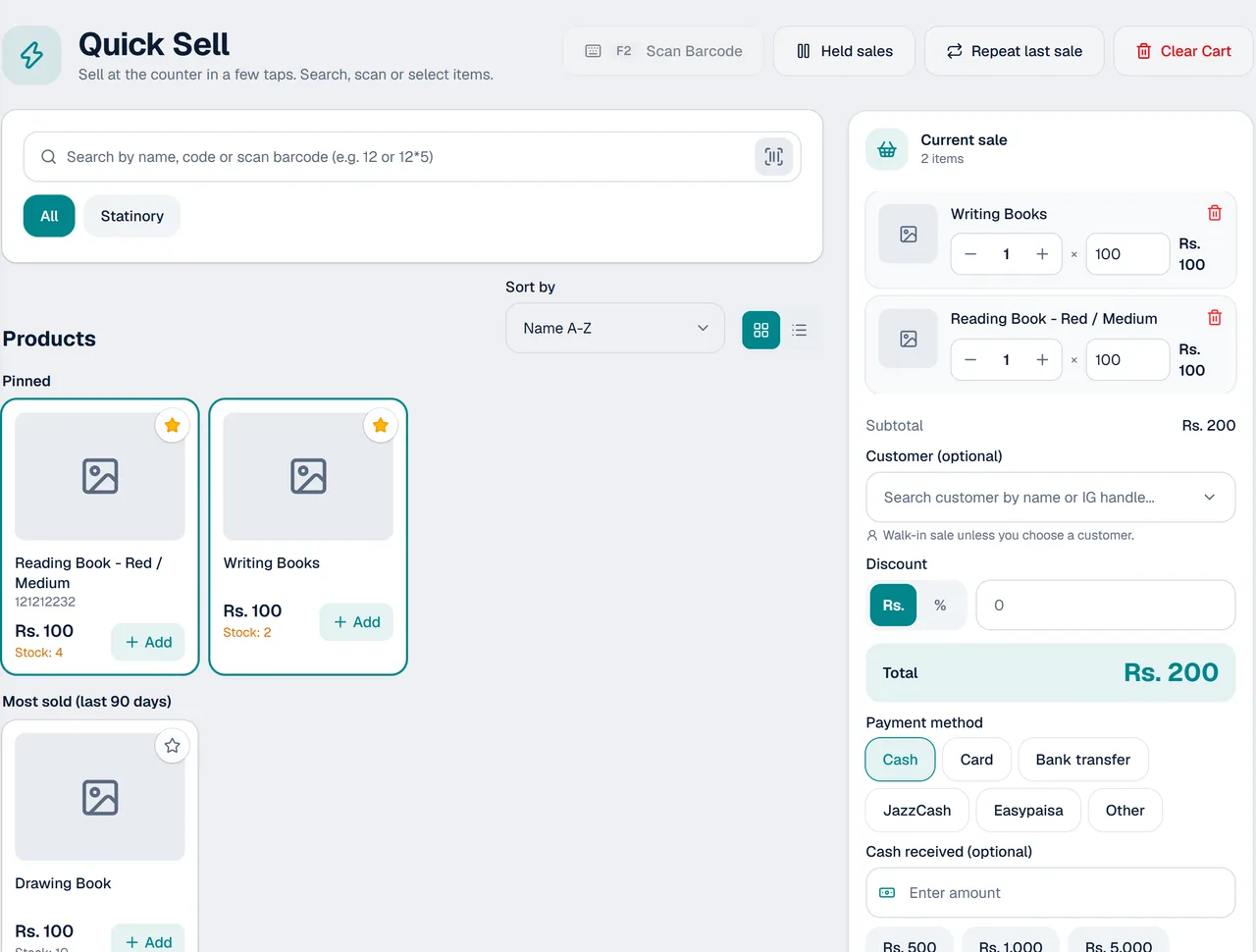
Quick Sell is a simple screen for the counter. Pick items, record the payment and hand over the receipt.
Stock that follows every sale
Quantities go down with each sale, so you always know what is on the shelf.
Sizes, colours and photos
Keep each size or colour of an item together, with a photo so you pick the right one.
Low-stock alerts
See what is running low before a customer asks for it and you have none.
Suppliers and purchases
Record what you buy and from whom, and see what you still owe each supplier.
Receipts on A6 or WhatsApp
Print receipts on A6 paper, or send them to the customer as a PDF on WhatsApp.
A day at the counter
- 1
Sell
Open Quick Sell, add items and record the payment. Hold a sale if the customer needs a moment.
- 2
Restock
Check the low-stock list and record purchases from your suppliers.
- 3
Review
Look at best sellers and daily profit to decide what to stock more of.
Good for every kind of stationery counter
Wherever many small items are sold all day.
- School and office stationery shops
- Book shops
- Art and craft supply shops
- General stores with a stationery section
- Shops that buy from several suppliers
Questions from stationery shops
Can I keep different sizes and colours of the same item?
Yes. Each product can have sizes, colours and photos, and stock is counted for each one.
Can I sell quickly when the shop is busy?
Yes. Quick Sell is a fast counter screen, and you can hold a sale and come back to it.
Will it warn me before something runs out?
Yes. Low-stock alerts show what needs reordering.
Can I see what I owe my suppliers?
Yes. Record purchases from suppliers and see what is still owed.
Can I see my best-selling items?
Yes. Reports show best sellers by quantity, revenue or profit.
Does it work on my phone?
Yes. KarobarDesk opens in the browser on a phone or a computer. There is nothing to install.
More from KarobarDesk
Ready to run your stationery shop with less effort?
Book a demo and we will add a few of your products and show you the counter.