
For legal drafting offices
Every drafting job tracked from request to delivery, and to payment.
Deeds, agreements, affidavits and applications: each job has a client, a fee, a status and a balance. KarobarDesk keeps them all in one place, so no job waits forgotten in a file and no fee goes uncollected.
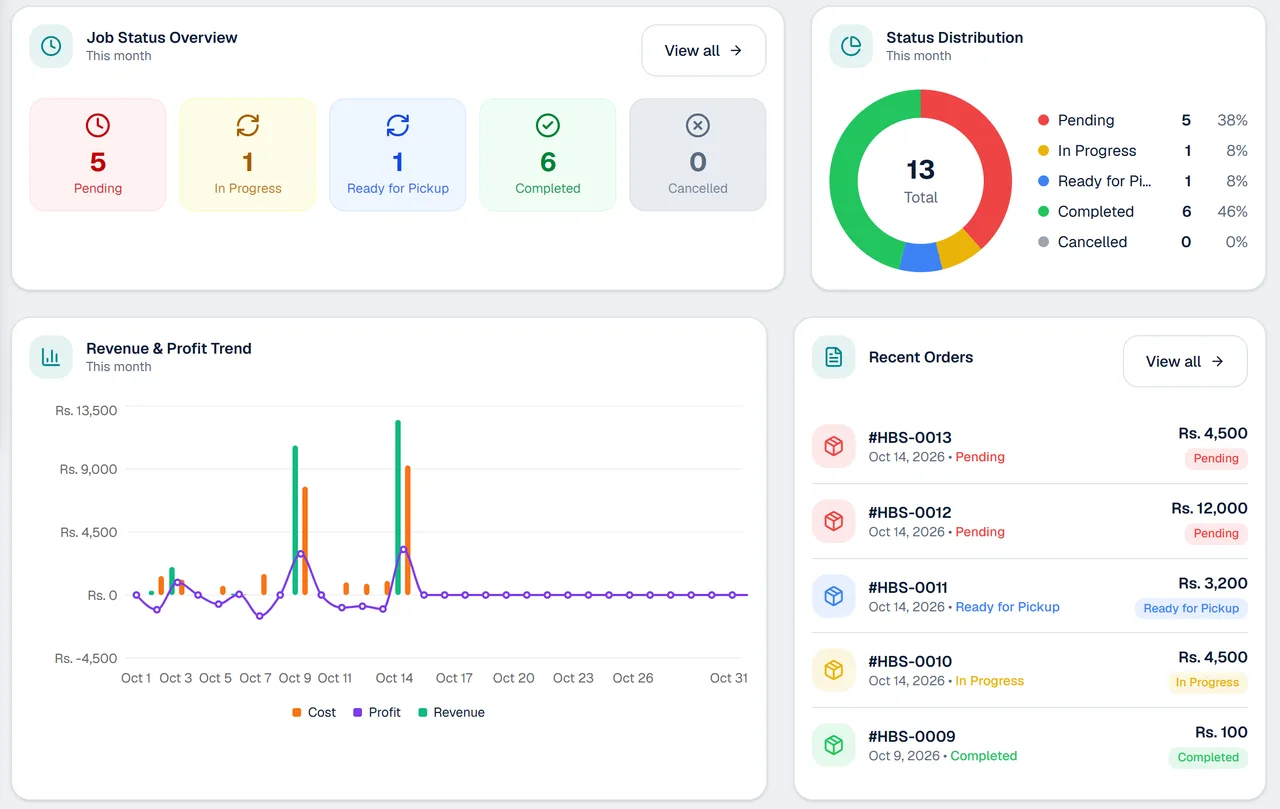
Made for work you quote, deliver and invoice
A clear record of every job and every payment.
Job statuses
See which jobs are Pending, In Progress, Ready for Pickup or Completed, on one dashboard.
Advances and balances
Record an advance, then the rest, and see what each client still owes.
A profile for every client
Every client's jobs, payments and balance in one place.
Invoices and receipts
Professional invoices with your office's name and logo, ready to print or send.
Send on WhatsApp
Send the invoice or receipt to the client as a PDF with your own message.
Private and separate
Each business's data is kept separate, and staff can work without seeing your costs or profit.
How a drafting job moves through your office
- 1
Open the job
Add the client, describe the work, set the fee and record any advance.
- 2
Track it
Move it from Pending to In Progress to Ready for Pickup as it is drafted and checked.
- 3
Deliver and close
Send the invoice, record the balance when it is paid, and mark the job Completed.
Good for offices that work job by job
Where every job has its own fee and its own delivery.
- Legal drafting and documentation offices
- Typing and application writing services
- Consultants who quote per job
- Any office paid in advances and instalments
Questions from legal drafting offices
Can I track the status of each job?
Yes. Each order has a status, and the dashboard shows how many jobs are at each one.
Can a client pay an advance and the rest later?
Yes. Record part payments and see what is paid and what is still due.
Can I see who still owes me?
Yes. Every client has a profile with their balance, and unpaid or part-paid orders are easy to find.
Can I send invoices on WhatsApp?
Yes. Save the invoice or receipt as a PDF and send it with your own message.
Can staff work without seeing my fees and profit?
Yes. Staff can take orders and record payments without seeing your costs or profit.
Is my clients' information kept private?
Each business's information is kept separate from every other business, and only the people you add can sign in.
More from KarobarDesk
Ready to see every job at a glance?
Book a demo and we will set up your office with you.