
Reports and profit
See your sales and your real profit, without a spreadsheet.
KarobarDesk works out your sales, costs and profit from the orders you already record. Choose a period and see the trend, the best sellers and where your profit really comes from.
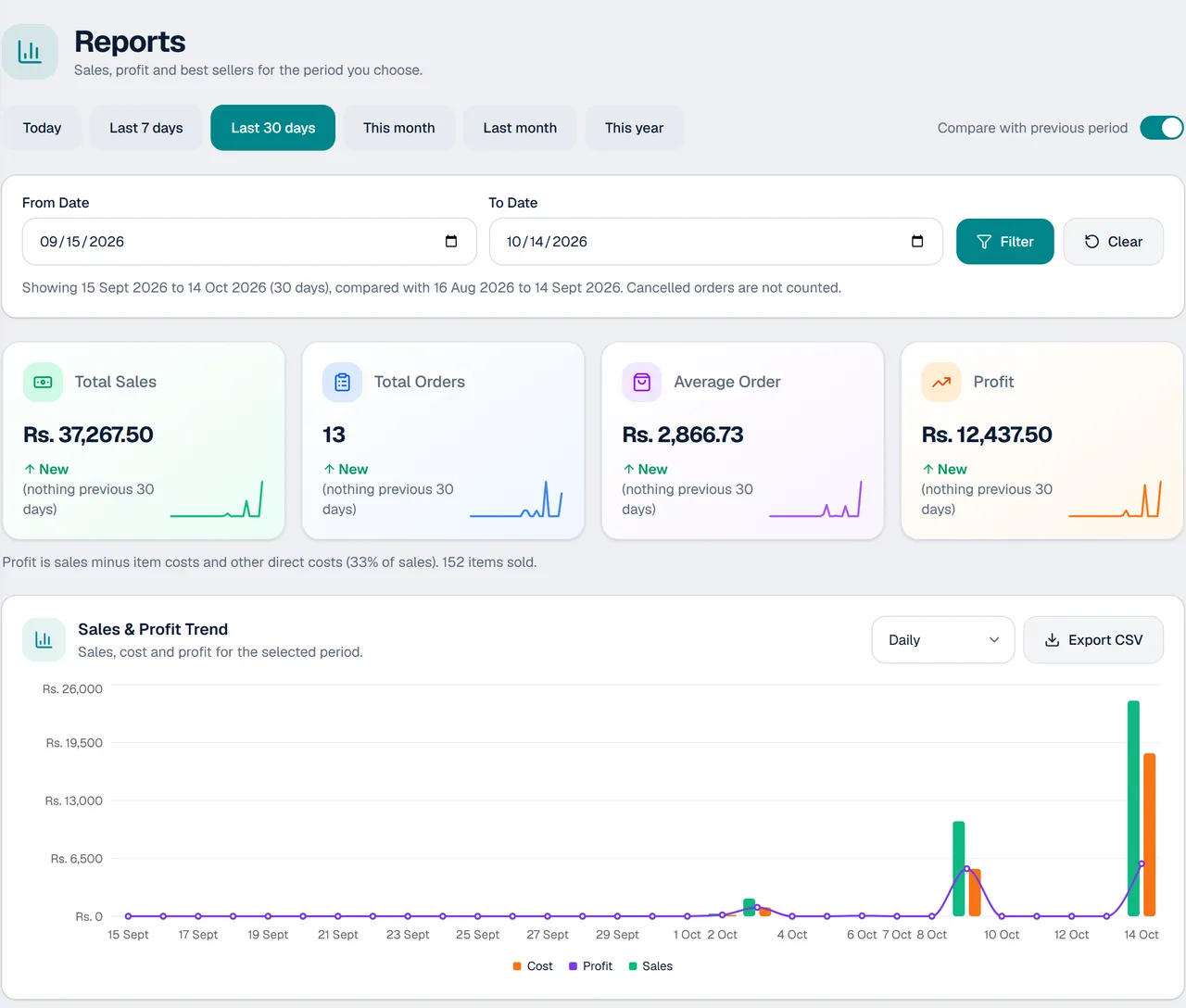
The numbers an owner actually needs
Sales, costs and profit, calculated for you from every order.
Sales, orders and profit
Total sales, number of orders, average order and profit for the period you choose.
Compare with the last period
See whether you are growing by comparing with the period before.
Sales and profit trend
A chart of sales, cost and profit over the period, with a day-by-day table below it.
Best sellers
Your top items ranked by quantity, revenue or profit.
Profit by category
See which categories give you the most profit and the best margin.
Export
Export a report to CSV and open it in a spreadsheet.
How the reports work
- 1
Record orders as usual
Every order, with its costs, feeds your reports automatically.
- 2
Choose a period
Today, the last 7 or 30 days, this month, last month, this year, or your own dates.
- 3
Read the picture
Check profit, the trend, best sellers and profit by category, and export what you need.
For owners who want to know what is really working
From a one-counter shop to a busy workshop.
- Shops that want to know their best sellers
- Owners who suspect some items earn more than others
- Printing presses and signboard makers pricing jobs
- Businesses whose staff take the orders
- Anyone still working out profit by hand
Questions about reports
How is profit worked out?
Profit is sales minus item costs and other direct costs. KarobarDesk works it out from your orders and also shows it as a percentage of sales.
Can I compare with an earlier period?
Yes. You can compare any period with the one before it.
Can I see my best-selling items?
Yes. Best sellers can be ranked by quantity, revenue or profit.
Are cancelled orders counted?
No. Cancelled orders are not counted in your reports.
Can staff see my profit?
No. Staff work without seeing your costs or profit.
Can I export a report?
Yes. Reports can be exported to a CSV file for a spreadsheet.
Can I close the day and see the cash each worker should hand over?
Yes. Day Close shows the day's money by method (cash, bank, JazzCash, Easypaisa, card) and how much cash each worker should hand over. It is available on request.
More from KarobarDesk
Ready to see your real profit?
Book a demo and we will show you the reports with your own business.