
For mobile accessories shops
Every cover, charger and cable, counted and priced.
Mobile accessories come in many colours and models, and each one sells at its own pace. KarobarDesk keeps every variant counted, lets you sell with a short code at the counter, and shows which items really earn you money.
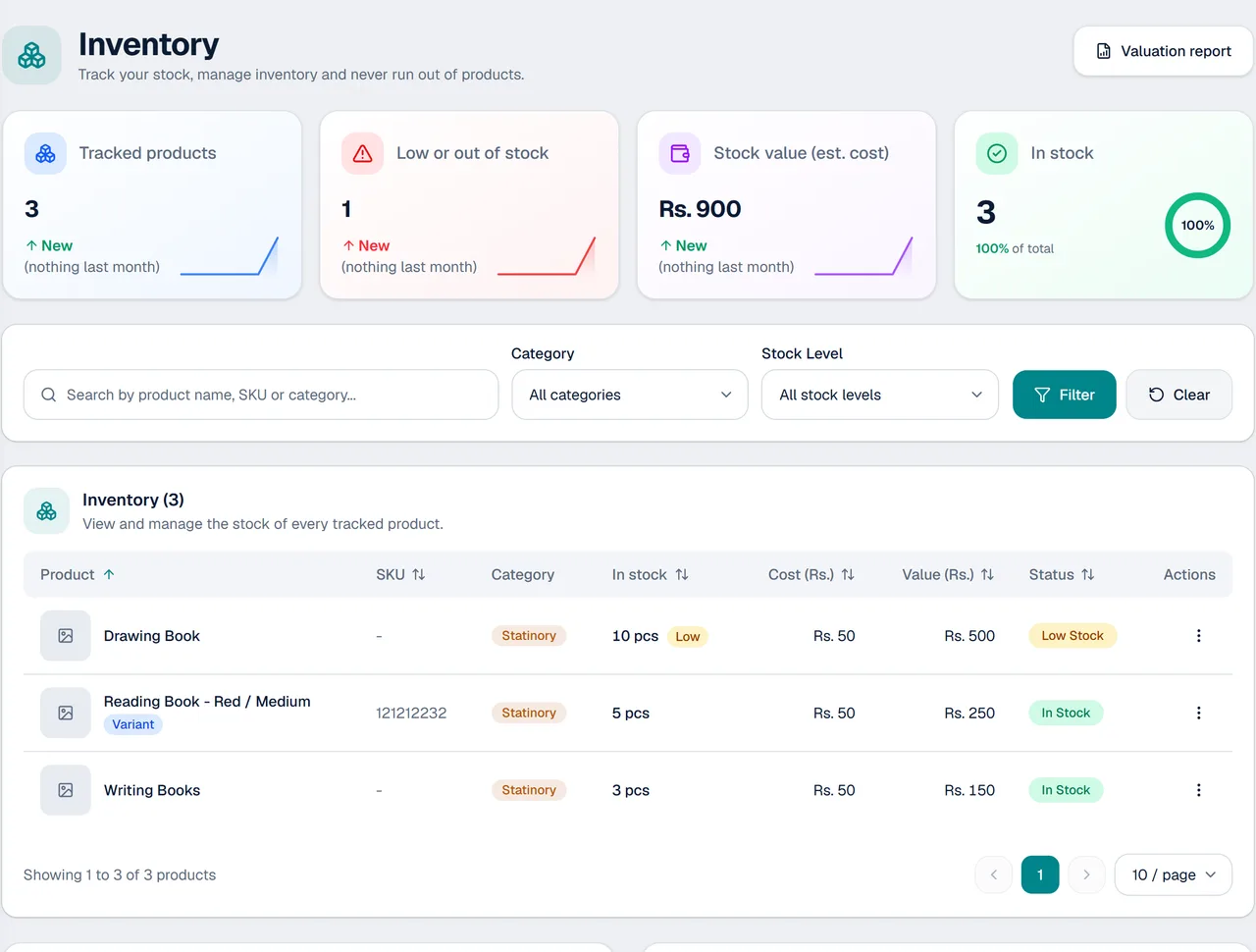
Built for items that come in many versions
Keep each variant in order, and sell it in a few taps.
Variants for every version
Give a product sizes and colours, or your own attributes such as model, and track stock for each one.
Short codes at the counter
Type a short code, or 12*5 for five of item 12, and it is added. A barcode scanner that types into the search box works too.
Stock per variant
Know how many of each colour or model you have, and get an alert when one runs low.
Profit per item
Enter what each item costs you and see the profit on every sale and in your reports.
Hold a sale
Customer comparing two covers? Hold the sale and serve the next person.
Suppliers and purchases
Record purchases and see what you owe each supplier.
How it works in a mobile accessories shop
- 1
Add products with variants
Enter each item once, with its colours or models, prices and photos.
- 2
Sell with a code
Type the short code or scan the barcode, set the quantity and record the payment.
- 3
Watch stock and profit
Check low-stock alerts and best sellers, and reorder what moves fast.
Good for shops that sell many small, fast items
Where every item comes in several colours or models.
- Mobile covers and screen protectors
- Chargers, cables and earphones
- Power banks and speakers
- Repair and accessory counters
- Shops with several colours or models of one item
Questions from mobile accessories shops
Can I track each colour or model separately?
Yes. Products can have variants, such as colours or sizes, and stock is counted for each variant.
Can I sell using a code or barcode?
Yes. Type a short code in Quick Sell, or use a barcode scanner that types into the search box and presses Enter.
What happens when an item has several variants?
At the counter you pick the colour or size before it is added to the sale.
Can I see which items earn the most?
Yes. Reports rank best sellers by quantity, revenue or profit, and show profit by category.
Can I print receipts?
Yes. Receipts print on A6 paper, or you can send them as a PDF on WhatsApp.
Do I need to install anything?
No. It opens in the browser on a phone or a computer.
More from KarobarDesk
Ready to count every colour and model?
Book a demo and we will set up a few of your items with their variants.