
Invoices and receipts
Clean invoices with your logo, ready to print or send on WhatsApp.
Every order in KarobarDesk becomes an invoice and a receipt you are proud to hand over. Add your logo, print it neatly on A6 paper, or save it as a PDF and send it to your customer on WhatsApp with your own message.
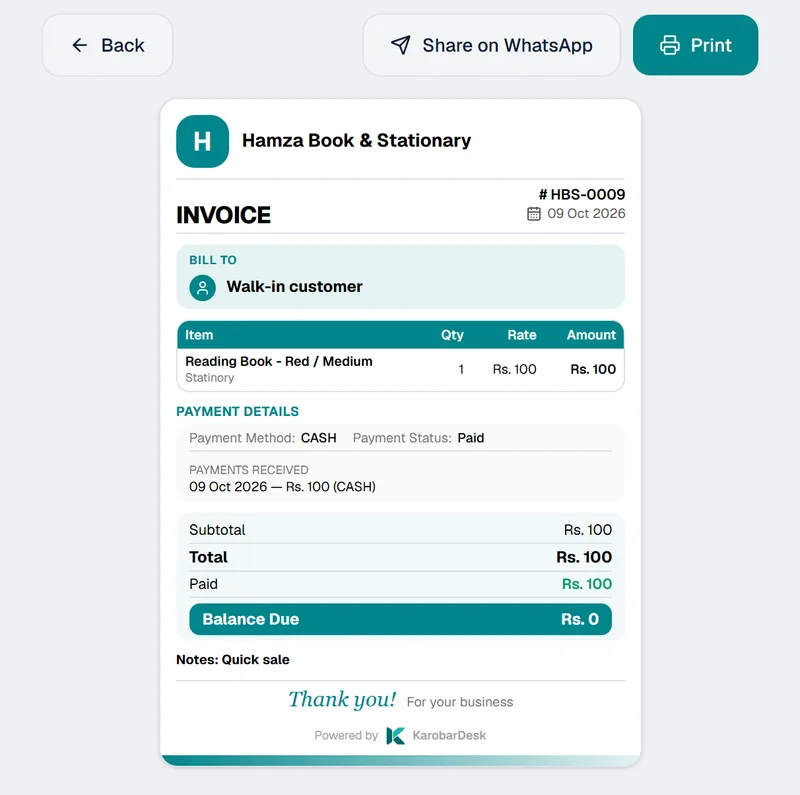
Everything you need to bill a customer
No design work and no copying figures by hand. The invoice is made from the order you already took.
Your logo, your business
Invoices carry your logo and business details, so every bill looks like it came from you.
Made from the order
Take the order once. The invoice and receipt are ready, with the items, the total and what has been paid.
Part payments shown clearly
See what is paid and what is still due, so there is no argument later.
Print or save as PDF
Invoices and receipts print neatly on A6 paper, or you can save them as a PDF.
Send on WhatsApp
Send the PDF to your customer on WhatsApp with your own message.
Find any invoice fast
Search your orders by invoice number and open the bill in a moment.
From order to invoice in three steps
- 1
Take the order
Add the customer and the items, and record any payment you received.
- 2
Check the invoice
It is ready with your logo, the items, the total and the balance due.
- 3
Print it or send it
Print on A6 paper, or save as a PDF and send it on WhatsApp.
Good for any business that bills customers
From the counter to the workshop.
- Stationery and general stores
- Mobile accessories shops
- Printing presses
- Signboard and flex printing
- Legal drafting and other services
- Any business that quotes and delivers
Questions about invoices
Can I put my own logo on the invoice?
Yes. Your invoices and receipts carry your logo, so they look like they came from your business.
Can I print invoices on a small printer?
Yes. Invoices and receipts print neatly on A6 paper. You can also save them as a PDF.
Can I send an invoice on WhatsApp?
Yes. Save the invoice or receipt as a PDF and send it to your customer on WhatsApp with your own message.
Can a customer pay in parts?
Yes. Record each part payment on the order, and KarobarDesk keeps track of what is paid and what is still due.
Can I find an old invoice?
Yes. Search your orders by invoice number.
More from KarobarDesk
Ready to send your first invoice?
Book a demo and we will set up your logo and business details with you.